Quick log and active spin
The quick log strip sits on the home screen. Tap a favourite and it is logged with a timestamp. An episode logged with nothing but a time still counts for every statistic in the app.
For a spin in progress there is a dedicated screen with a running timer. It also offers a guided exercise (Epley, Semont or BBQ roll) that attaches to the same spin automatically, so the exercise ends up in your treatment history without any extra logging.
 The questions a vestibular clinic asks
When you have time, the full log asks about spin character (room spinning, rocking sensation, unsteadiness, oscillopsia, drop attack, dizziness, ataxia, nystagmus), the position you were in when it started (lying flat, sitting or standing up, turning your head, looking up, rolling over in bed, standing still, walking), and what came with it: nausea, ear fullness, hearing change, tinnitus louder, imbalance after, and more. Tinnitus gets its own detail: which ear, what it sounded like, how long it lasted. Vestibular migraine still brings head pain, so the front and back head map and aura zones are there too.
Each of these gets its own breakdown in Insights and in the full report, which is what makes a BPPV pattern look different from a Meniere's pattern in your own data.
 Tell it in your own words
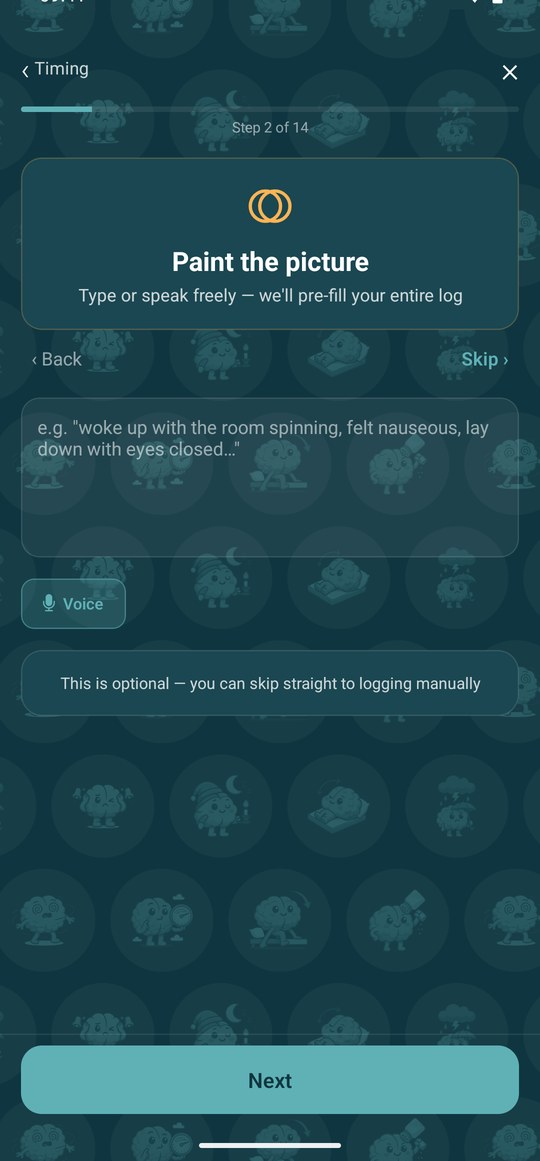
The Paint the picture step in the spin log, and the evening check-in, take typed or spoken text and sort it into symptoms, triggers, prodromes, medicines, reliefs and activities for you to confirm. Suggested items are shown in italics so you can remove any that do not apply. It recognises vestibular vocabulary such as ataxia, staggering and room spinning. The microphone is optional; without it you type.
Usually over by
While a spin is running, the app compares it with your own past spins and shows when similar ones were usually over, how severe they got, and which medicines and reliefs shortened them. If there are not enough logged spins yet it says so instead of guessing.
Where it lives in the app
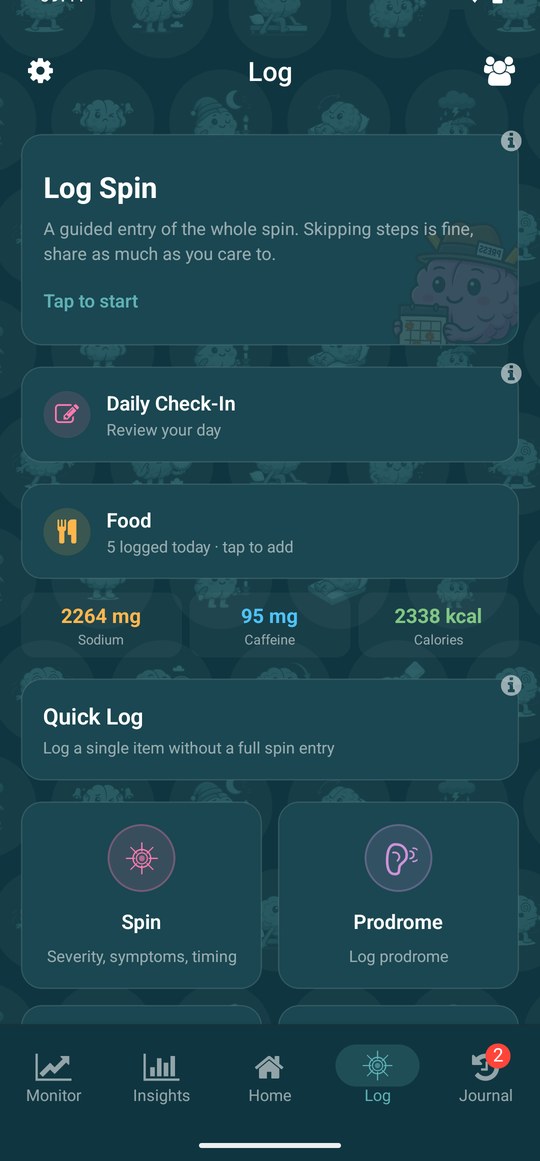
The Log tab. Log Spin is the guided entry and runs in the order a vestibular clinic asks: timing, symptoms, position at onset, prodromes, triggers, medicines, reliefs, locations, activities, postdrome, missed activities, notes, review. Under it are the Daily Check-In, Nutrition and a quick-log strip for a single item, and each step of the guided log can be skipped.
What it needs from you
Only the phone: there is no VertigoMe watch app yet, so logging happens there, though Garmin, Oura, Polar, Apple Health and Health Connect still feed the data in. A late entry lands on the day and time you give it, because the statistics work on timestamps rather than on when you typed. Calendar access is read-only and nothing is stored from it except what you confirm.