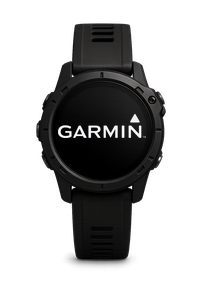
There are hundreds of watches, bands and rings. If yours is not in our list, there is usually still a way to get its data into VertigoMe.
Nearly every modern wearable can share its data with your phone's health hub: Apple Health on iPhone, Health Connect on Android. VertigoMe reads from that hub. So if your wearable's app can write to it, VertigoMe can usually read the data.
Direct connections
Four brands sign in to VertigoMe directly, without a hub: Garmin, Oura, Polar and WHOOP. They each have their own card under the gear icon, Connections.
On iPhone
- Open your wearable's companion app and make sure today's numbers are showing.
- In its settings, look for Apple Health and turn sharing on. Tap Turn On All, then Allow.
- In VertigoMe, connect Apple Health:
- Open VertigoMe.
- Tap the gear icon in the top-left of the screen. A drawer slides in from the left.
- Tap Connections.
- Find the Apple Health card at the top and tap Connect. If it already says Connected, skip ahead.
- A short VertigoMe note explains what will be read. Tap Continue.
- Apple's permission sheet slides up. Tap Turn On All, then Allow.
On Android
- Open your wearable's companion app and make sure today's numbers are showing.
- In its settings, look for Health Connect and turn sharing on. Tap Allow all.
- In VertigoMe, connect Health Connect:
- Open VertigoMe.
- Tap the gear icon in the top-left of the screen. A drawer slides in from the left.
- Tap Connections.
- Find the Health Connect card at the top and tap Connect. If it already says Connected, skip ahead.
- A short VertigoMe note explains what will be read. Tap Continue.
- The Health Connect permission screen appears. Tap Allow all, then Allow.
What VertigoMe can read from the hub
Sleep, heart rate, resting heart rate, HRV, blood oxygen, respiratory rate, body temperature, steps, workouts, weight, body fat, blood pressure, blood glucose, food and periods. If your wearable records something outside that list, VertigoMe will not pick it up.
If your wearable does not share with Apple Health or Health Connect
There is nothing VertigoMe can do from its side to reach that data. What you can do:
- On Android, let VertigoMe estimate sleep from how your phone is used overnight.
- On iPhone, steps still come from the phone itself once Apple Health is connected.
- Watch for updates from the wearable maker. Many brands add Apple Health or Health Connect support over time.
- Write to us at [email protected] and tell us your model.